.jpeg)

10 Burnout Prevention Strategies for Creators
Explore 10 burnout prevention strategies for creators, solopreneurs, and small teams, with practical steps, checklists, measurement tips, and tools.
5 min read
September 30, 2026

Master workflow efficiency improvement. A step-by-step guide for creators to analyze, standardize, and automate content workflows to save hours and scale reach.
Written by:


Your content workflow probably looks productive from the outside. A recording app is open. Your notes are scattered across Google Docs, Notion, and your phone. A half-edited video sits in Premiere Pro. Thumbnails are in Canva. Captions are in another tab. Scheduling happens later, which usually means too late.
That doesn't mean you're disorganized. It means your system is.
Creators and small teams rarely fail because they lack ideas. They stall because every publish cycle includes hidden labor. File hunting, reformatting, approvals, duplicate data entry, clip exports, missed revisions, and platform-specific cleanup all pile onto work that should have stayed creative. Workflow efficiency improvement matters because burnout usually starts in those small, repeated frictions.
A lot of creators confuse chaos with momentum. You batch-record three videos, feel great for a day, then spend the rest of the week chasing transcripts, rewriting captions, fixing aspect ratios, and checking whether the final thumbnail is the final final thumbnail.
That isn't a creativity problem. It's an operations problem.
The pattern is familiar. A solo creator records on Monday, sends footage to an editor on Tuesday, reviews cuts on Wednesday, forgets to write the YouTube description, rushes Instagram captions on Thursday, and ends the week wondering why content still feels so heavy. Small teams live a version of the same cycle, except now every delay includes handoffs, approvals, and Slack messages.
The creative work is the part only you can do well. Your point of view. Your story. Your delivery. Your editorial judgment.
The rest should be handled by a system.
Practical rule: If you repeat a task every week, it should not rely on memory.
That's where workflow efficiency improvement stops being corporate jargon and starts being relief. Academic literature citing McKinsey & Company notes that organizations using digital technologies effectively to optimize workflows can see up to a 25% increase in overall productivity. For creators, that can translate into reclaiming a full day of work each week by replacing scattered manual steps with smarter systems.
People often resist structure because they think it will flatten their voice. In practice, the opposite happens. A reliable workflow protects your energy for higher-value decisions and removes the low-grade stress that kills consistency.
A simple rule helps here:
If you're already trying to get more intentional about your time, this practical guide to productivity is useful because it connects personal time management with the systems that support actual output.
You do not need a bigger team to get control. Most creators need fewer loose steps, fewer tool jumps, and a workflow they can trust on tired days.
Before you fix anything, you need a visible map of how content moves. Not how you think it moves. Not the polished version you'd describe on a call. The genuine one.
For creators, the easiest way to do this is to map one content type from start to finish. Use a whiteboard, paper, FigJam, Miro, Notion, or even sticky notes. Pick one recurring workflow such as turning one long-form video into shorts, a blog post, YouTube assets, and social posts.

Don't map your entire business. Map one publish cycle.
A simple example might look like this:
That sequence is enough to expose friction. If you want a concrete reference point, this breakdown of a video production workflow is a good example of how to think in stages instead of isolated tasks.
Most creators stop at the obvious steps. The core waste lives in the in-between.
Add these details to every stage:
If a task crosses tools three or four times before it's done, that step deserves scrutiny.
A useful content workflow map should let you answer three questions fast:
| Question | What to look for |
|---|---|
| Where does work pause? | approvals, missing assets, unclear ownership |
| Where does work repeat? | duplicate formatting, multiple uploads, copied metadata |
| Where does work fragment? | too many tools, disconnected folders, scattered communication |
Workflow problems aren't only operational. They often expose strategic drift. If every piece of content starts from scratch, your workflow may be suffering because your editorial direction is fuzzy. That's one reason teams investing in a stronger content strategy for B2B SaaS AI search often uncover workflow issues at the same time. Better positioning usually makes production cleaner because fewer decisions get made in panic mode.
By the end of this exercise, you should have an assembly line you can see. Once it's visible, inefficiency stops feeling vague. It becomes specific, fixable, and much less intimidating.
Monday starts with a simple plan. Finish one video, cut three shorts, write the caption set, and schedule the week. By Thursday, the footage is edited, but the title is still in review, the thumbnail file is in the wrong folder, and the Instagram version has been rebuilt twice. The problem is rarely effort. It is usually a single stuck step that keeps forcing the rest of the workflow to wait.
That is the step to fix first.
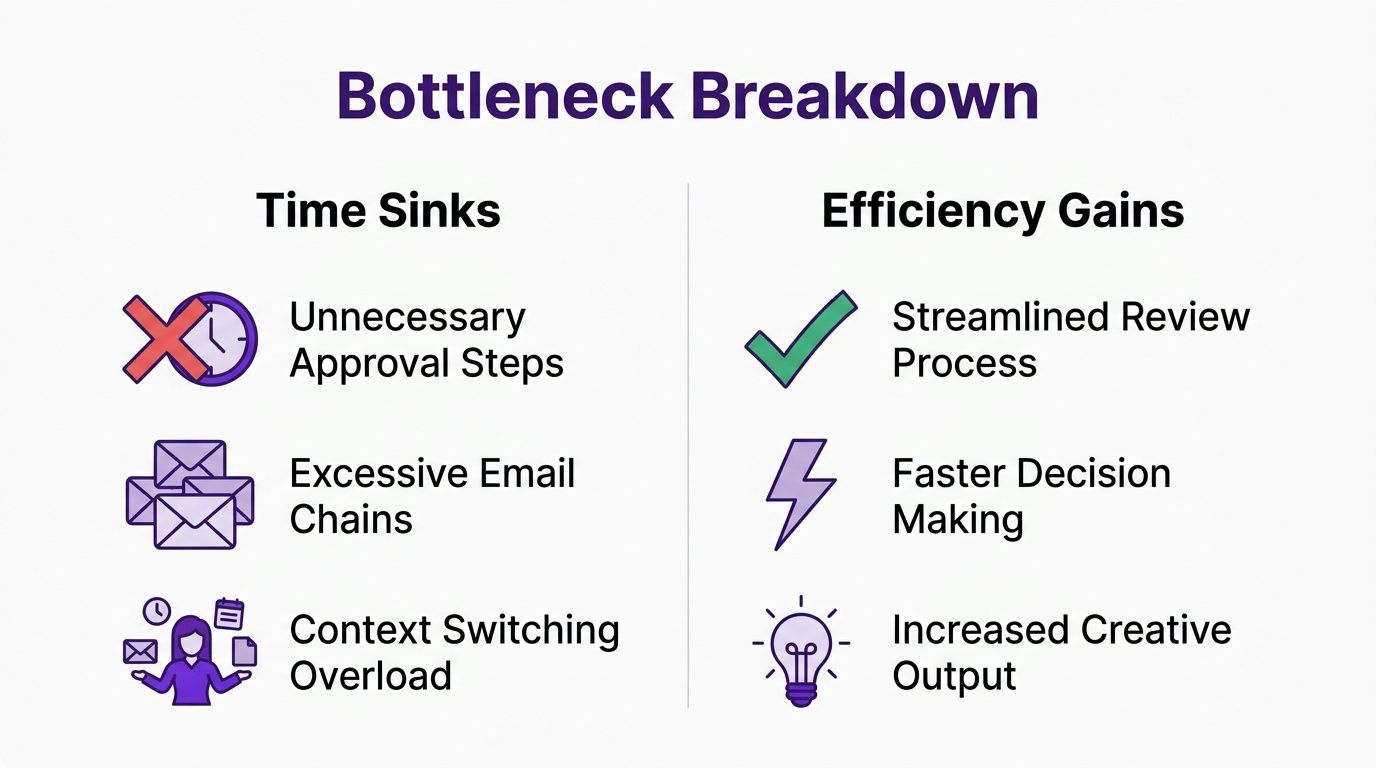
Use Process Cycle Efficiency, or PCE, to separate real production from workflow drag. PCE is value-add time divided by total cycle time. For creators, value-add time includes writing, recording, editing, design, and final publishing. Total cycle time includes the dead space around the work: waiting for approval, hunting for assets, rewriting a brief, fixing preventable errors, and bouncing between tools.
A simple example makes this obvious.
If a podcast episode takes two days to move from raw recording to publish, but only a few hours are spent on editing, packaging, and uploading, the rest of that timeline is friction. That is where hours disappear for creators and small teams. Not in the creative craft itself, but in the handoffs around it.
The Lean Enterprise Institute explains process cycle efficiency as a way to compare value-added time with total lead time. That makes it useful for content operations because it forces a hard question: how much of your week is actual creation, and how much is waiting?
Some delays are annoying. Some control the entire schedule.
The biggest time sinks in content workflows usually fall into a few patterns:
Editing is often the heaviest production block, but it becomes a bigger problem when upstream inputs are messy. If that is a recurring issue, this guide on how to edit faster is useful because it treats speed as a workflow design problem, not just a keyboard shortcut problem.
One sentence test. If a task regularly makes three other tasks wait, it is probably your bottleneck.
A lot of teams rank fixes by impact and effort. For creators, frequency matters just as much. A medium-sized problem that happens on every asset can waste more time than a dramatic problem that shows up once a month.
Use a quick filter like this:
| Fix | Impact | Frequency | Effort |
|---|---|---|---|
| Standard file naming | Medium | High | Low |
| One reviewer owns final approval | High | High | Medium |
| Rebuild the whole tool stack | High | Low | High |
| Update thumbnail templates | Medium | High | Low |
This keeps you from spending two weeks rebuilding your system when a naming rule, a tighter review chain, or a repurposing template would save time immediately.
Teams handling a high volume of posts also hit the same wall in distribution. If you want to automate your X marketing efforts after publishing, rank that work the same way. Fix the repeated bottleneck first, then automate the clean step.
Keep the list short:
That becomes the improvement plan. Three issues are enough to change the week. Twenty issues create another project to manage.
Most creators reach for automation too early. They're tired, behind, and staring at a pile of repetitive tasks, so the idea of handing everything to software sounds like rescue.
If the process is messy, automation won't rescue it. It will scale the mess.

Research summarized in Wrike's workflow efficiency article shows that 68% of failed automation projects stem from automating non-standardized workflows. That's the core mistake. Teams automate steps that still depend on memory, inconsistent naming, missing approvals, or shifting definitions of done.
For creators, this shows up in familiar ways. An auto-publish flow breaks because assets aren't named consistently. A repurposing tool outputs the wrong format because no one defined the preferred clip structure. A VA schedules the wrong caption because the handoff process exists only in your head.
A standard operating procedure sounds heavier than it needs to be. For most content tasks, one page is enough.
Good SOP candidates include:
Each SOP should answer these questions:
| SOP element | What to write |
|---|---|
| Trigger | What starts the task |
| Owner | Who is responsible |
| Inputs | Files, links, templates, notes |
| Steps | The exact order |
| Done state | What “complete” means |
| Exceptions | What to do when something is missing |
Standardization is not bureaucracy. It's removing guesswork from work you repeat.
Here's a lean example for a YouTube upload SOP:
Once the process is stable, automation becomes useful because it's executing a known workflow instead of improvising. Scheduling, asset generation, repetitive formatting, notification routing, and post-publish tracking all get easier after the SOP exists.
If your workflow includes social distribution, this guide on how to automate your X marketing efforts can help you think about automation in channel-specific terms rather than trying to automate everything at once.
The sequence matters. First document. Then simplify. Then automate. That order prevents the most expensive kind of efficiency work, which is the kind that creates more rework.
Once your workflow is standardized, tools can finally do their job. The wrong stack still creates drag, though, especially for creators who patch together five or six apps that barely talk to each other.
That's where a lot of small teams lose time they never account for.

According to Comidor's workflow improvement resource, 57% of SMBs lose over two hours weekly managing fragmented tool integrations, and platforms with a centralized dashboard can cut that waste by up to 64%. That's the hidden cost of a tech stack that looks flexible but behaves like a relay race.
For creators, the integration tax usually looks like this:
None of those steps feel huge in isolation. Together, they create a workflow that's harder to maintain than the content itself.
A creator-friendly tool stack should reduce handoffs, not add new ones. When you assess software, ask practical questions:
This matters more than having the longest feature page. A tool that's slightly less customizable but keeps your workflow in one place often beats a stack of specialized apps that require constant maintenance.
One example is content automation software built around the full repurposing cycle rather than one isolated task. In that category, Taja AI is a factual fit for creators who want to turn long-form video into clips, captions, thumbnails, blog drafts, and scheduled posts from a single dashboard instead of moving assets across multiple tools.
A walkthrough helps make that difference concrete:
The most efficient creator workflows aren't the most complex. They're the easiest to repeat.
That usually means:
You may still use specialist tools. That's fine. The point is to stop making your team perform the integration work by hand. Workflow efficiency improvement happens when software absorbs coordination that people were doing manually.
A creator team usually notices the next bottleneck right after fixing the last one. The upload process gets faster, then approvals start dragging. Repurposing gets organized, then thumbnail requests pile up in Slack. Growth changes where the friction shows up.
That is why the system needs a review rhythm. Without one, small delays turn into missed publish dates, extra revision rounds, and a team that feels busy all week without shipping enough.
Skip vanity reporting. Track the numbers that tell you where content gets stuck and whether your new workflow is protecting creative time.
Use a short scorecard:
The broader operations research backs this up. Analysts at McKinsey have found that organizations that track process health with a small set of leading and lagging indicators make better continuous-improvement decisions than teams that rely on intuition alone. The same logic applies to creators. If you cannot see where time is leaking, you will keep solving the wrong problem.
A good workflow review does not need a slide deck. Pull up your production calendar, look at the last few weeks of content, and ask where work slowed down.
Use prompts like these:
I have found that one honest 30-minute review each month beats a bigger quarterly reset that nobody prepares for. Small teams do better with shorter feedback loops. Problems are still fresh, and fixes happen faster.
As content volume grows, the temptation is to add approvals, extra trackers, and more people to every handoff. That usually creates slower output and fuzzier ownership.
Better scaling is simpler than that. Keep the system clear enough that a new editor, contractor, or VA can step in without asking ten setup questions. Add templates where choices repeat. Add checkpoints where quality breaks. Remove anything that exists only because the old process was messy.
Workflow efficiency improvement is ongoing maintenance. The point is not to build a perfect machine. The point is to keep your content pipeline reliable enough that creators can spend more of their week making strong work instead of chasing files and status updates.
If your content process still depends on manual exports, scattered drafts, and too many tabs, Taja AI is worth a look. It helps creators and small teams turn long-form video into ready-to-publish assets from one dashboard, which makes it easier to standardize repurposing, reduce tool switching, and keep content moving without adding more admin.


We are blessed to work with leading brands & Companies


We try to make easy and simple for every professionals. Get 30 days free trial - No credit card required.


© 2025 Taja AI. All rights reserved.